
Fareless Whisper: sync eBook & audiobook progress, Amazonlessly
Heartbreaking: the worst corporation you know just made a great service.
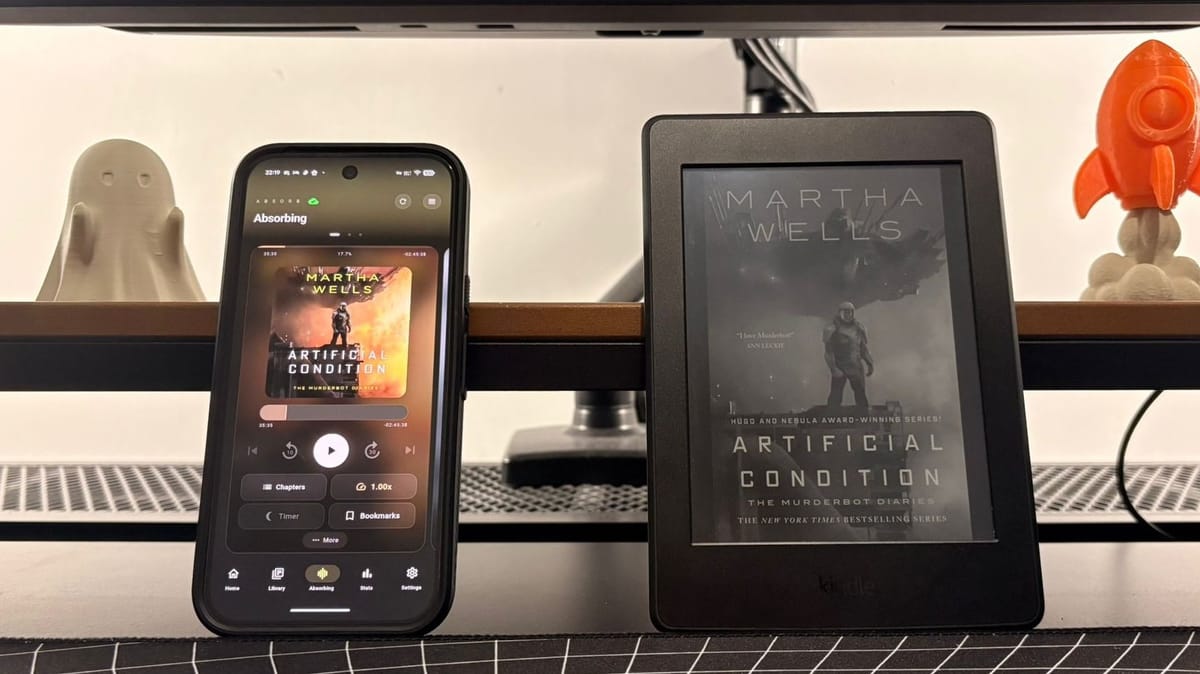
I've been reading a lot recently in my downtime, gleefully chewing through books in modern sci-fi series like The Expanse and The Murderbot Diaries. There's nothing worse than getting to a really gripping or exciting moment, only for it to be reality's turn for a go on your attention again.
If you're a reader who uses Amazon's Kindle for eBooks and Audible for audiobooks, the solution to this problem is simple: whispersync. If you own the same book in both stores, then whenever you stop reading a book on your kindle it synchronises the progress with Audible, and vice versa, so you can pick up from where you left off seamlessly.
It's brilliant really. Need to commute to work or walk the dog, but you're immersed in a book? Just swap your eyes for your ears and you're good to go. The best thing is that you don't need to pay an extra fee, it's a bonus for being a part of the Amazon ecosystem. The issue for me personally is that I am very much not in the Amazon ecosystem.
Paddling Against the Amazon's Current
Amazon has been slowly removing consumer friendly features over the last few years. You can't export your Kindle library for use on other devices anymore, for example. It's no longer possible to transfer books via USB anymore either, with Amazon directing users to the Send to Kindle feature instead.
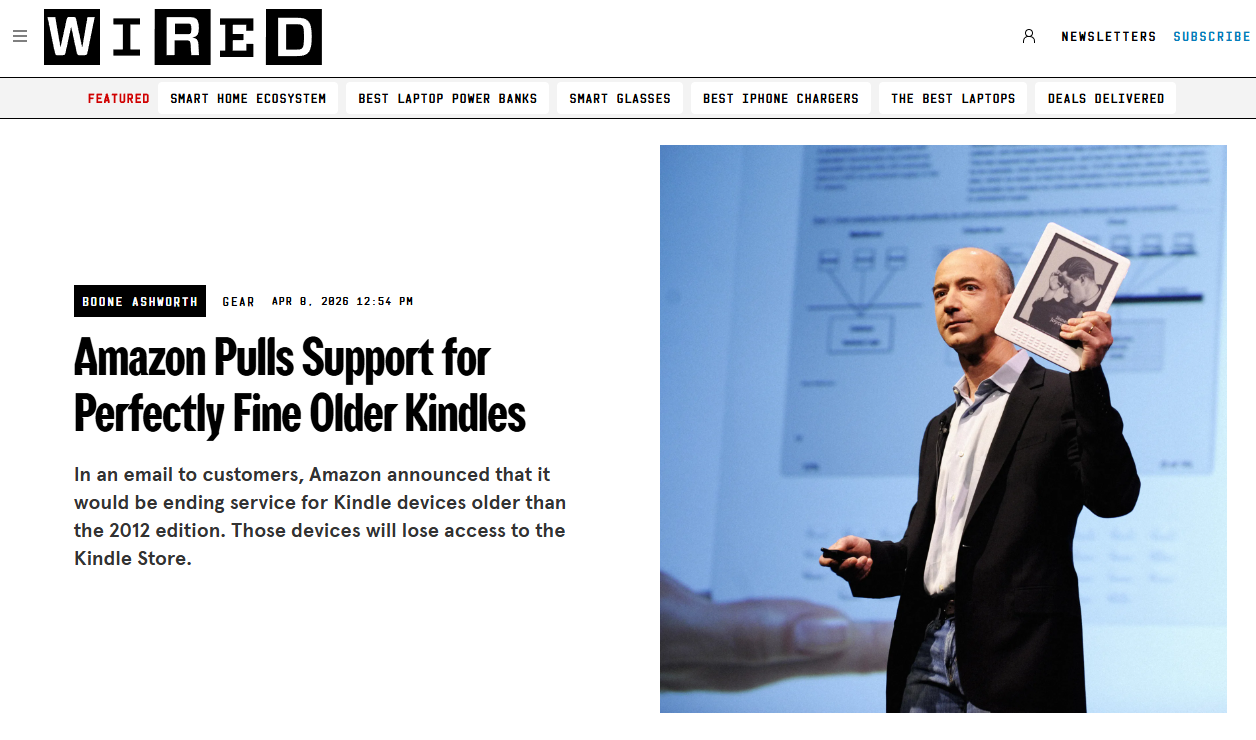
Amazon also recently announced that Kindles older than 2013 will cease to function at the end of this month, even though they still read the same ebook files as modern devices just fine. That's not the kind of practice I want to support, so I don't.
I have a decade old Kindle Paperwhite 3 that I have jailbroken. I sideload eBooks onto it using Calibre, and then read them using KOReader. I can source public domain books online, "sail the high seas" on sites like Library Genesis, or support authors by buying from alternative eBook stores, like Kobo.
For audiobooks, I have Audiobookshelf running on my home server, which I connect to via a third party app called Absorb. It's painless to run, add books and maintain my library, and the client app is sleek and modern too. It's hard to believe that it's completely free and open source software running on my own hardware sometimes.
It's a nearly perfect system for me, until a book gets it's hooks in me the way that Andy Weir's sci-fi novel Project Hail Mary did last month. I found Weir's explanation of complex physics and chemistry was so well written that I felt like I understood every single experiment, and earned every "Eureka!" moment myself. For a story about the looming end of the solar system, I found it so uplifting and optimistic. I wanted it beamed into to my senses at all times.
I drive a lot for work, and was having a particularly stop-start kind of week, so I was trying to juggle reading on my XTEINK X4 on the go, my Kindle at home, and then listening to the audiobook (which is fantastic, by the way) on the road. If I got to the end of a chapter, I would prematurely stop my reading/listening so I wouldn't have to find my place when I swapped over, often driving in silence for the last portion of my drives, awkward in my own company. I knew there had to be a better way.
The Better Way
On the 30th of December 2025, a developer by the name of cporcellijr released the first version of ABS-Kosync-Bridge, an enhanced fork of a similarly named project that began life a month earlier. Now on version 6.6.0, the project has developed exponentially.
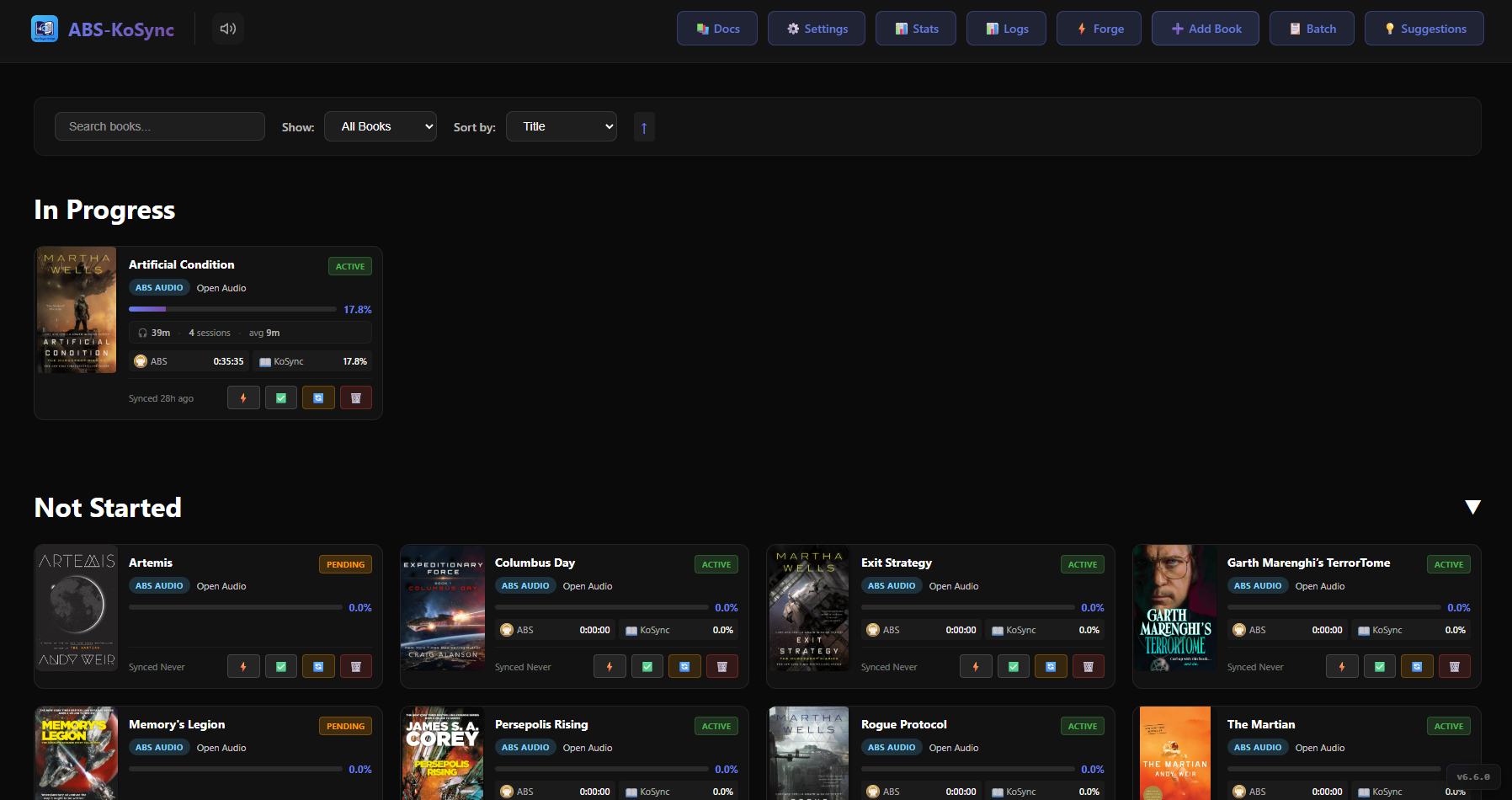
ABS-Kosync-Bridge is a Docker container that connects to your audiobook and eBook libraries and matches them together into whispersync-style pairings. Then, just like with Amazon's sync service, whenever and wherever you finish reading or listening, your progress is synced up and ready to access on another device.
It comes with its own KOSync server, which is supported on loads of eReaders, Android/iOS reading apps, and anything with KOReader installed on it. It also supports self hosted reading apps like Storyteller (for creating hybrid eBook/audiobooks), and library managers like Calibre-Web Automated and Grimmory, so there's plenty of flexibility for different kinds of readers.
Admittedly, getting this to work wasn't as slick and painless as I would have hoped. It took me a while to get used to the quirks of the software and work out the most efficient combination of programs and eBook sources for me. For a while, I couldn't understand why my eBooks and Audiobooks were being treated as completely different and would not sync up, even though they were already paired up. I've started from scratch more than a few times, but I knew it would be worth it.
This weekend, I finally cracked it. I've stripped my container stack back to the bare necessities, it's all accessible from a web browser, and now I can even wirelessly download my eBooks directly on my eReaders, just like on a kindle. I've beaten Big Bald Bezos at his own game, and it hasn't cost me a single penny.
My simplest, most functional ABS-Kosync-Bridge stack
I would love to get into the weeds about how to set up Docker and start experimenting with containers, but I am still a novice myself and am not confident enough to try to instruct anyone else. I am not a developer, I'm just curious enough and immune enough to faff to try these things out. There are so many helpful guides out there, and each project has its own documentation that you should definitely read.
What I will do here is break down my setup as simply as I can, so that you can try this for yourself if it sounds remotely interesting.
My PC/Server
- Audiobookshelf (ABS) - hosts and streams my audiobook library
- Calibre - File conversion, metadata & cover art management for eBooks
- Docker w/ the following containers:
- ABS-Kosync-Bridge - Syncs progress, runs KOSync server
- Calibre-Web Automated (CWA) - remote eBook downloads via OPDS
- NGINX Proxy Manager (NPM) - reverse proxy to safely expose each service to the internet with its own subdomain
My Phone
- Absorb - Audiobookshelf client for Android, for listening to audiobooks
My eReaders
- KOReader - open source document reader, available on Kobo, Android and jailbroken Kindle eReaders
- KOSync - works across any reading app or device I use
Now it's all set up, my workflow is pretty simple.
- Add new Audiobook file to my ABS library folder
- Add new eBook file to Calibre, polish and then save to CWA library
- Open ABS-KOSync-Bridge dashboard, add new book pairing
- Let ABS-KOSync process the link (this part can take a while)
- Download the eBook on my eReader using the OPDS library option
- Listen on my phone, read on my eReaders & sync my progress via KOSync.
Each part of the stack serves its own function for reading or listening to books, ABS-KOSync-Bridge just marries them together for me.
I'm not going to try and convince anyone that this is as quick and simple as just buying the book on Kindle and spending a token on the audiobook on Audible, but that convenience comes at a cost.
I'd much rather source my own books files, have the ability to back them up and put them on any device I own now, or in the future, without anyone telling me I no longer have access to them anymore. Plus, I learned something new in the process, which is kind of the point of all of this anyway, right?